
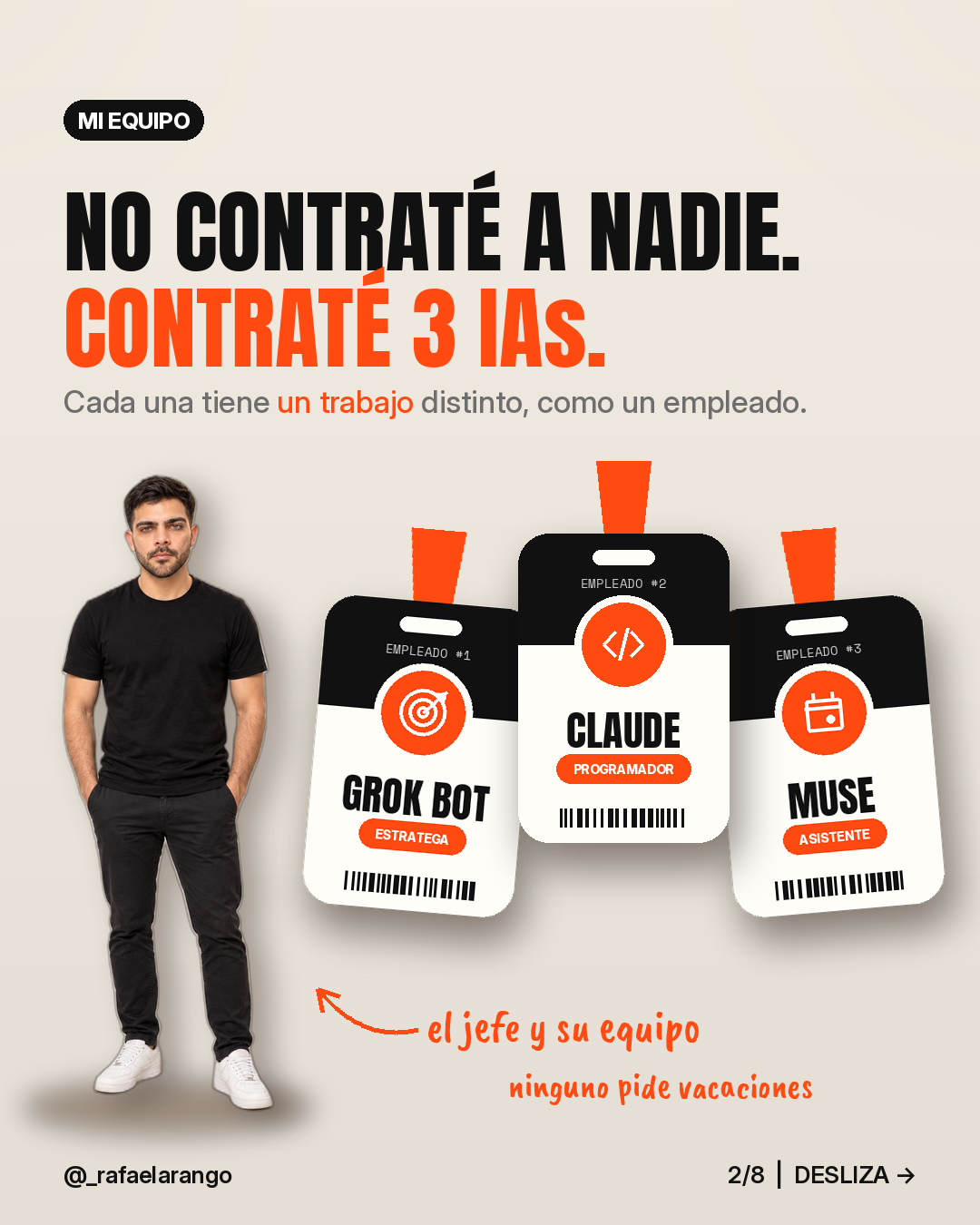
👋 If you're coming from Instagram because you commented IA, here's the full kit.
Most people use AI like this: open a chat, ask something, copy the answer and forget about it. That doesn't automate anything. What you're going to build here is a system: three AI agents with clear roles, one shared place where everything they produce is stored, and a daily and weekly rhythm so they work on their own, or almost.
It's for you if you're an entrepreneur, a freelancer, run a small business or just want a more organized life. You don't need to know how to code.
1. What each agent does best
Think of them as three employees with different profiles. Each tool changes often, so check what your version allows. What follows are the uses where each one tends to perform best.
🧠 Grok Bot: research, planning and execution
- Research: you can ask it to find what's working in your industry, compare options or summarize a topic for you.
- Plan: it turns a loose idea into a plan with steps, dates and priorities.
- Execute tasks: it works on its own computer, so you can ask it to do multi-step tasks, like reviewing web pages, preparing files or filling in a spreadsheet.
- Routines: you can ask it for scheduled or recurring tasks, like a summary every Monday or letting you know when something changes.
💻 Claude: writing, analysis and building
- Write: emails, proposals, scripts, product descriptions.
- Analyze: paste in a document, a contract or a data sheet and ask it to summarize it, find errors or draw conclusions.
- Build: you can ask it for templates, documents, spreadsheet formulas, small scripts or simple tools, even if you've never coded.
📅 Muse: your personal organization
Muse is Meta's AI agent. Use it as a personal assistant:
- Organization: you can ask it to help you sort out your day and your to-dos.
- Email and calendar: have it summarize what's important and remind you of what you have coming up.
- Finances: an overview of your spending and how your month is going.
How much of your email, calendar or accounts it can read depends on what you connect and authorize. Always check the permissions.
2. The system architecture
A system has four pieces: roles, a command center, handoffs and rhythm.
Roles
- You: decide, approve and review.
- Grok Bot: the strategist and executor. It researches, plans and does.
- Claude: the specialist. It writes, analyzes and builds.
- Muse: the assistant. It organizes your day, your email and your numbers.
The command center
Create a single document or notes folder (Google Docs, Notion, Notes or whatever you use) with these sections:
- This week's priorities (3 max)
- To-dos (with who does it: you, Grok Bot, Claude or Muse)
- Results (where you paste what each AI delivers)
- Prompts that work (your personal library)
- Context (who you are, your business, your tone, your clients)
The Context section is the key. Paste it at the start of any new conversation with any of the three AIs and you save yourself from explaining everything every time.
Handoffs
The AIs don't talk to each other on their own: you pass the output from one to another through the command center. The typical flow is:
Muse (what's going on) → You (decide the priority) → Grok Bot (researches and plans) → Claude (writes or builds) → You (review) → Command center (it gets saved)
Example: Muse reminds you that you have 4 unpaid invoices. You ask Claude for a friendly reminder email. You ask Grok Bot to tell you the following Monday which ones are still unpaid.
Rhythm
- Daily (10 minutes): review with Muse and one or two delegated tasks.
- Weekly (45 minutes): planning with Grok Bot and batch production with Claude.
3. Catalog of tasks you can automate
Copy the prompts and change whatever is in [brackets].
📬 Email and calendar
Daily summary · Muse · Daily
"Summarize my day: today's appointments, the 3 most urgent emails and what's left over from yesterday."
Replying to difficult emails · Claude · As needed
"Help me reply to this email in a [friendly but firm] way. I want to say [what you want to say]. Email: [paste the email]."
Templates for frequent replies · Claude · Once
"These are the 5 questions I get asked most by email: [list]. Write me a short template for each one."
💰 Personal and business finances
Quick spending overview · Muse · Weekly
"How am I doing with my spending this month? Tell me which categories I spent more on than last month."
Analyze your numbers · Claude · Monthly
"Here are my income and expenses for the month: [data]. Tell me where I spend the most, what I could cut and build a summary table."
Budget spreadsheet · Claude · Once
"Create a monthly budget spreadsheet with formulas: income, fixed expenses, variable expenses and savings. Explain how to use it."
Payment reminders · Grok Bot · Weekly
"Every Monday, remind me which payments I have to make and collect that week based on this list: [list]."
📱 Content and social media
Research what's working · Grok Bot · Weekly
"Research what kind of posts are working in [your niche] this week and give me 5 ideas with their hook."
Content calendar · Grok Bot · Weekly
"With these ideas, plan my posts for the week: [number] posts, with the day, format and goal of each one."
Write the copy · Claude · Weekly (in batch)
"Write the copy for these [number] posts in my tone: [describe your tone]. Each one with a hook, a short body and a call to action."
🤝 Sales and clients
Research a potential client · Grok Bot · As needed
"Research [company or person]: what they do, what they might need and how [your product or service] could help them."
Proposal or quote · Claude · As needed
"Write me a proposal for [client] for [service], with scope, timeline and a price of [price]. Professional, clear tone."
Client follow-up · Claude + Grok Bot · Weekly
To Claude: "Write a short follow-up message for a client who hasn't replied in [days]." To Grok Bot: "Every Friday, remind me which clients on this list I need to follow up with: [list]."
🗂️ Operations and documents
Step-by-step processes · Claude · Once per process
"Here's how I do [task]. Turn it into a step-by-step checklist that someone else could follow."
Summarize long documents · Claude · As needed
"Summarize this document in 5 points and tell me which parts I should review carefully: [paste the document]."
Repetitive web tasks · Grok Bot · As needed
"Go through [these pages] and give me [the data you need] in a table."
Small tools · Claude · Once
"I want to automate [repetitive task]. Explain the simplest way to do it and, if needed, write me the script with instructions for someone who has never coded."
📚 Learning
Study plan · Grok Bot · Monthly
"I want to learn [topic] in 30 days with [time] a day. Research the best free resources and build a week-by-week plan."
Simple explanations · Claude · As needed
"Explain [concept] to me as if it were my first time, with a real-life example. Then ask me 3 questions to check whether I understood it."
4. Set up your system in 60 minutes
- [ ] (10 min) Create your command center with the 5 sections.
- [ ] (10 min) Write your Context section: who you are, what you do, your clients, your tone and your goals for the month.
- [ ] (10 min) Open Grok Bot, Claude and Muse. Paste your Context into each one and explain its role: "Your job in my system is [role]. Always answer me with that in mind."
- [ ] (10 min) Check which permissions you give each one (email, calendar, files). Connect only what's necessary.
- [ ] (10 min) Pick 3 tasks from the catalog that you repeat every week and copy their prompts into your library.
- [ ] (5 min) Ask Grok Bot for your first routine: "Every Monday at 8 am, send me a summary with my priorities for the week."
- [ ] (5 min) Block your daily review (10 min) and weekly review (45 min) on your calendar.
5. Sample routine
Daily
| When | Agent | Task | Time |
|---|---|---|---|
| Morning | Muse | Daily summary: calendar, urgent emails, to-dos | 5 min |
| Morning | You | Pick the day's 3 priorities | 2 min |
| During the day | Claude | Reply to difficult emails, documents, analysis | As needed |
| During the day | Grok Bot | Research or delegated tasks | As needed |
| Afternoon | You | Paste the results into the command center | 3 min |
Weekly
| Day | Agent | Task |
|---|---|---|
| Monday | Grok Bot | Summary of the week's priorities, payments and follow-ups |
| Monday | Grok Bot | Research and content calendar |
| Tuesday | Claude | Batch-write the week's copy |
| Wednesday | Claude | Client proposals and follow-ups |
| Friday | Muse | Overview of the week's spending |
| Friday | You | Review what worked and update your prompt library |
6. Rules and limits
- You review everything. No email, post, payment or document goes out without you reading it.
- Verify the facts. AI makes mistakes and sometimes confidently makes up numbers or sources. Check numbers, dates and names.
- Protect your privacy. Don't paste passwords, card numbers or sensitive client data. Grant only the permissions that are necessary.
- Start small. Automate 3 tasks, not 30. Add a new one each week.
- The important decisions are yours. AI suggests; you decide.
- Improve the system. If a prompt didn't work, tweak it and save the version that does.
7. One-page summary (to print or save)
MY 3-AI SYSTEM
- 🧠 Grok Bot: researches, plans, executes tasks and scheduled routines.
- 💻 Claude: writes, analyzes and builds templates, spreadsheets and tools.
- 📅 Muse: organizes my day, email, calendar and finance overview.
- 🗂️ Command center: Priorities · To-dos · Results · Prompts · Context.
- 🔁 Flow: Muse → I decide → Grok Bot plans → Claude produces → I review → It gets saved.
- ⏰ Daily (10 min): summary with Muse + 3 priorities + delegate.
- 📅 Weekly (45 min): plan with Grok Bot + batch production with Claude + review.
- ✅ Rules: I review everything · I verify facts · I protect my privacy · I start with 3 tasks.
What do you want to automate next?
This kit is the foundation. I'll keep publishing more detailed guides for each area, with more prompts and examples.
👉 Follow me on Instagram: @_rafaelarango and comment which task you'd like to automate first.
More tools and apps at warasoft.com.