1
Scan
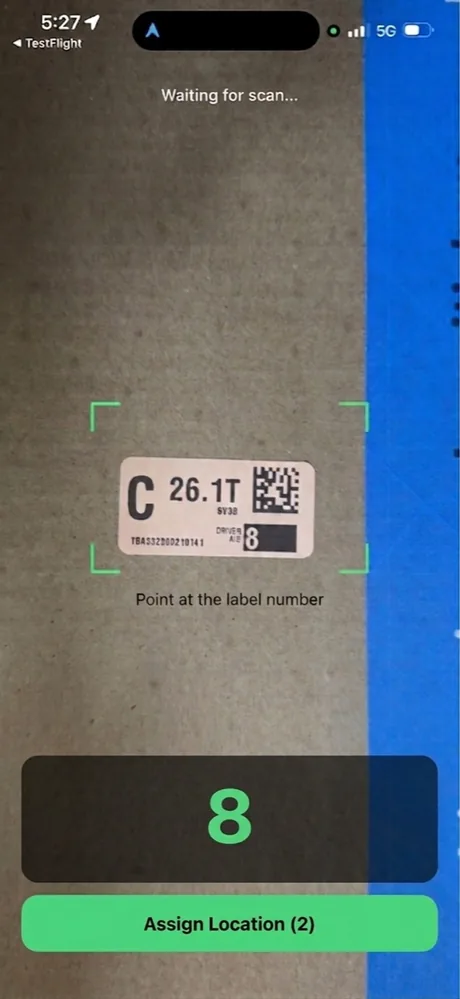
The camera reads the number
C437
Number read437
 Works offline, on your phone.
Copilot Flex
Read the DRIVER AID number with your camera, save each package where it goes in your vehicle, and find it in seconds. When you wrap up the block, see your miles, gas, and hourly pay.
For iPhone and Android. An independent app, not affiliated with Amazon.
You point the camera at the label, Copilot Flex reads the DRIVER AID number, and saves it to its spot in the vehicle.
From loading your vehicle to wrapping up the block, in four steps.
The camera reads the number
Works offline, on your phone.
You choose where it goes
Seats, floor, trunk, or truck bed.
You look it up at the stop
No more digging through boxes.
Miles, gas, and pay
You know how the block really went.
Every minute spent looking for a package is a minute off your route.
✓Scanned, placed, and found in seconds.
Point the camera at the black box on the label and Copilot Flex reads the DRIVER AID number on your phone. If the label is damaged, type it in.
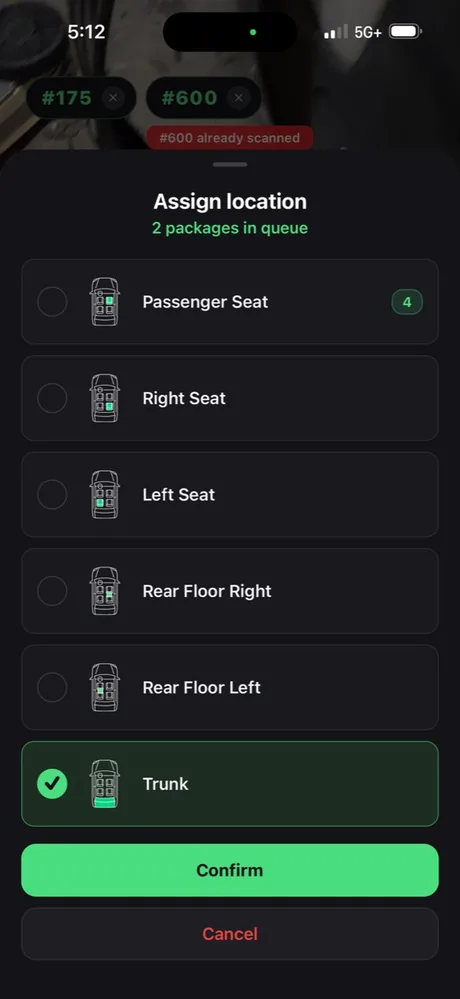
Pick your vehicle and save each package where it goes: seats, rear floor, trunk, or the truck bed.
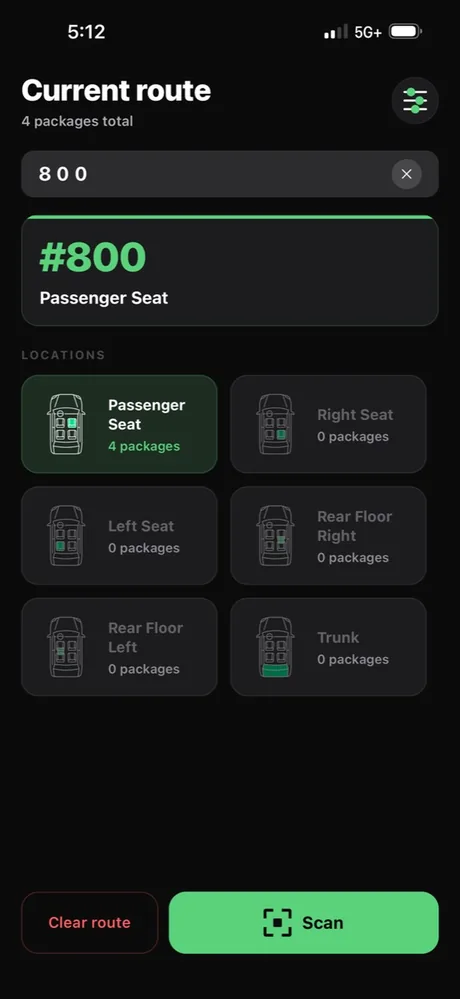
Type the number in your current route and Copilot Flex tells you where it is. Once delivered, it is marked as delivered and you see the next one.
Start the block and Copilot Flex counts miles and time, and estimates gas with local prices. When you wrap up, add your pay and see what you made per hour.
Every completed block stays on your phone with its miles, duration, gas, and pay.
✦A route in action
You scan as you load, save each package in its spot, and find it by number at every stop. The vehicle map shows you where to look.
Current route0 packagesReal Copilot Flex app screenshots.
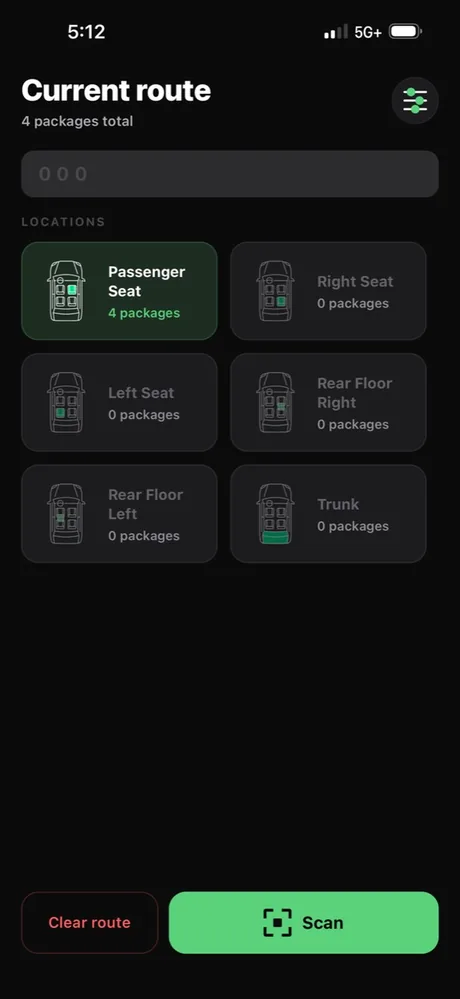
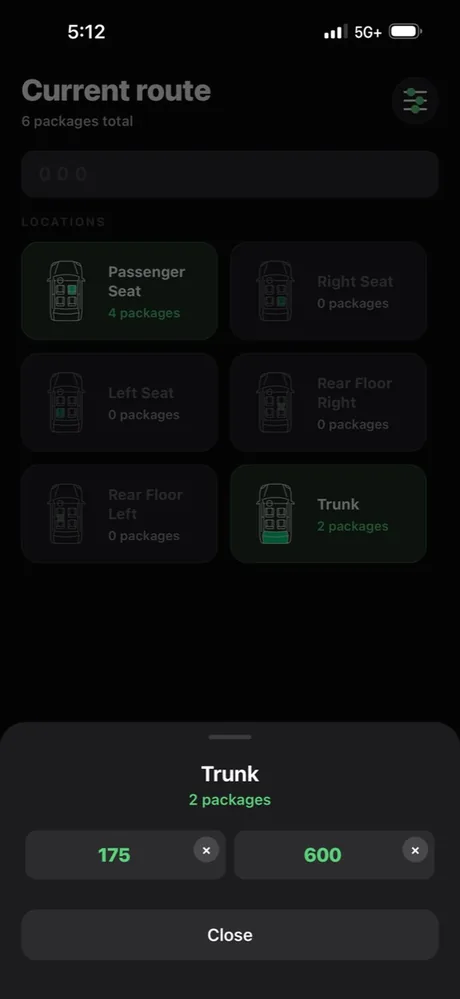
Long routes where every second at the stop counts.
The map adapts to your vehicle, truck bed included.
To know whether the block was worth it, not just how many stops it had.
No. Copilot Flex is an independent app for organizing your deliveries. It is not affiliated with, endorsed by, or sponsored by Amazon.
The DRIVER AID number, the three digits in the black box. It does not use the barcode, because the barcode holds the tracking number, not the DRIVER AID.
Yes. The number is read with text recognition on your own phone, with no connection. If the label is damaged, you can type it in.
4-door car, 2-door car, SUV, and crew cab or regular cab pickup. The location map adapts to each one; pickups show the truck bed.
During the block it counts miles and time with GPS, and estimates gas with the average price in your area. When you wrap up, if you add your pay, you see what you made per hour.
Some features require a subscription, which you manage in the app.
Copilot Flex is an independent app and is not affiliated with, endorsed by, or sponsored by Amazon. Counting miles in the background needs location permission. Illustrations use sample data.
Copilot Flex
Help scanning, placing, and finding your packages and tracking your blocks with Copilot Flex.
Reading the DRIVER AID number.
Where each package goes.
Finding a number in your route.
Miles, gas, and hourly pay.
How the cost is estimated.
Clearing the route and closing blocks.
Access to every feature.
About the app and Amazon.
Frame the black box on the label in good light and without glare. The app needs camera permission. If the label is damaged or folded, switch to Manual and type the 3 digits.
After scanning, tap Assign Location and choose where it goes: seats, rear floor, trunk, or the truck bed. The available locations depend on your vehicle type, which you can change in Settings.
That number is not registered in your current route. Scan or add it, and assign it a location so you can find it later.
To count miles in the background, location must be set to "Always" (iPhone) or "Allow all the time" (Android). Start the block when your route begins; when you conclude it, you can add your pay to see your hourly rate.
Copilot Flex uses the block’s miles and the average gas price in your area. If it cannot find the local price, it uses an estimated average. It is an estimate, not your exact cost.
Conclude the block to save it to your history and clear the route, or use Clear route to delete every package in the current route. Clearing the route cannot be undone.
Some features require a subscription, which you manage in the app and in your App Store or Google Play account.
No. Copilot Flex is an independent app for organizing your deliveries. It is not affiliated with, endorsed by, or sponsored by Amazon.
Copilot Flex
Never share passwords or verification codes.