





Multiple stores
Your products, with the right context.
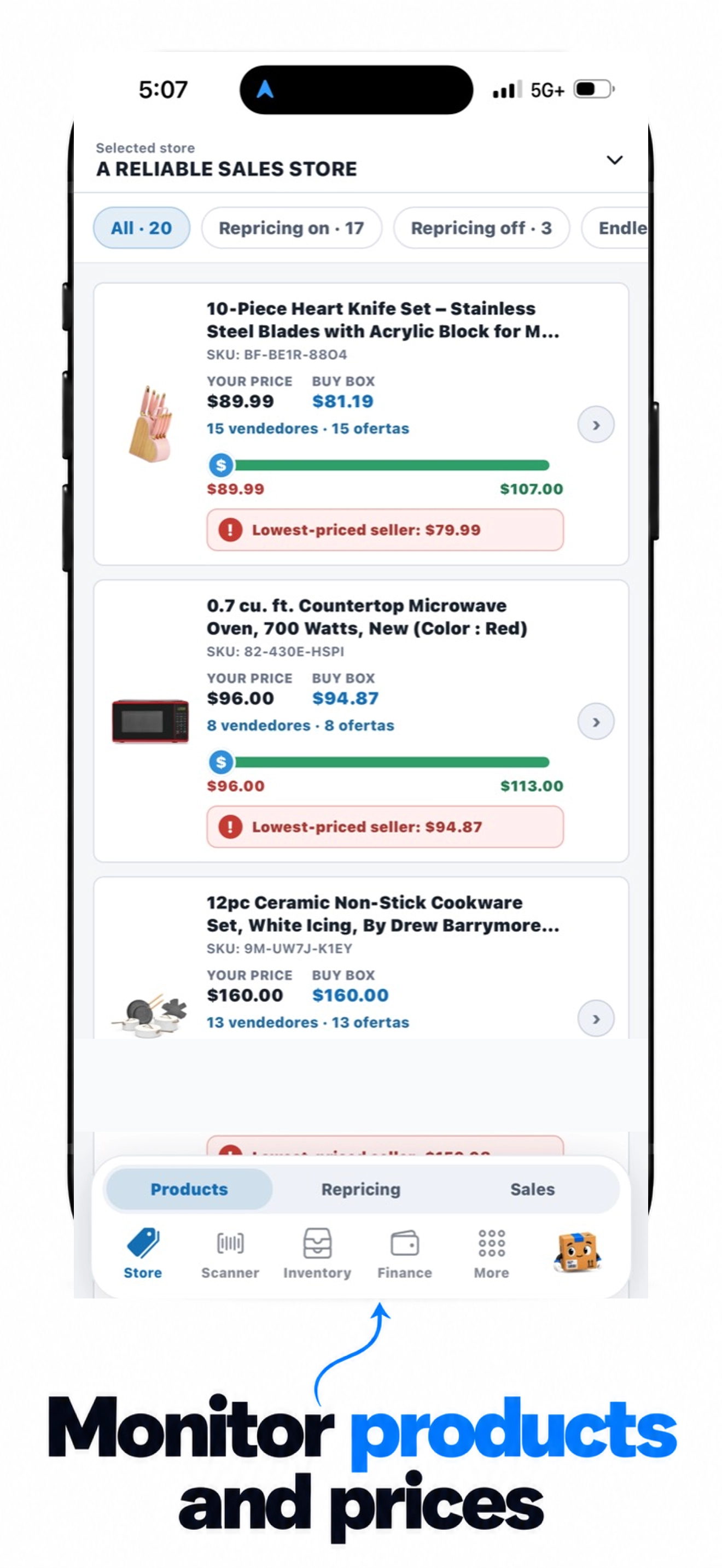
Switch between linked accounts and review prices, Buy Box, and product offers in one place.
You can also scan barcodes and check eligibility across your linked accounts.
Your Amazon business, connected
Stores, prices, inventory, and sales. One app for working with your Amazon accounts.
From product to sale
Review your products, compare offers, and keep track of what is happening across your stores.
Authorize your Amazon accounts and choose the store you want to work with.
Review offers, calculate costs, and define your pricing strategy.
Track sales, record purchases, and ask the assistant about your stores.
Multiple stores
Switch between linked accounts and review prices, Buy Box, and product offers in one place.
You can also scan barcodes and check eligibility across your linked accounts.
Offers and repricing
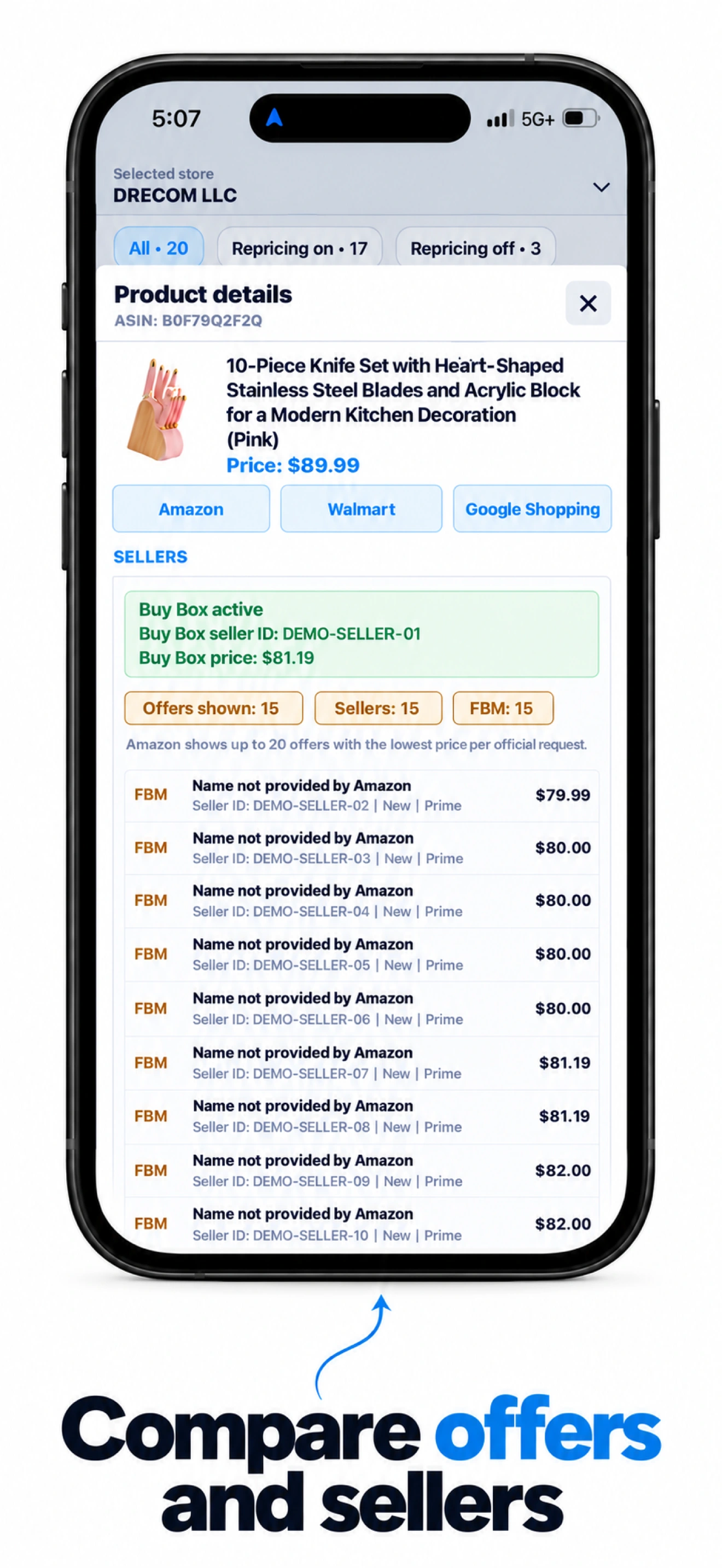
Review offers from other sellers. Set automatic repricing with a strategy and minimum price, then check its history.
Costs and profitability
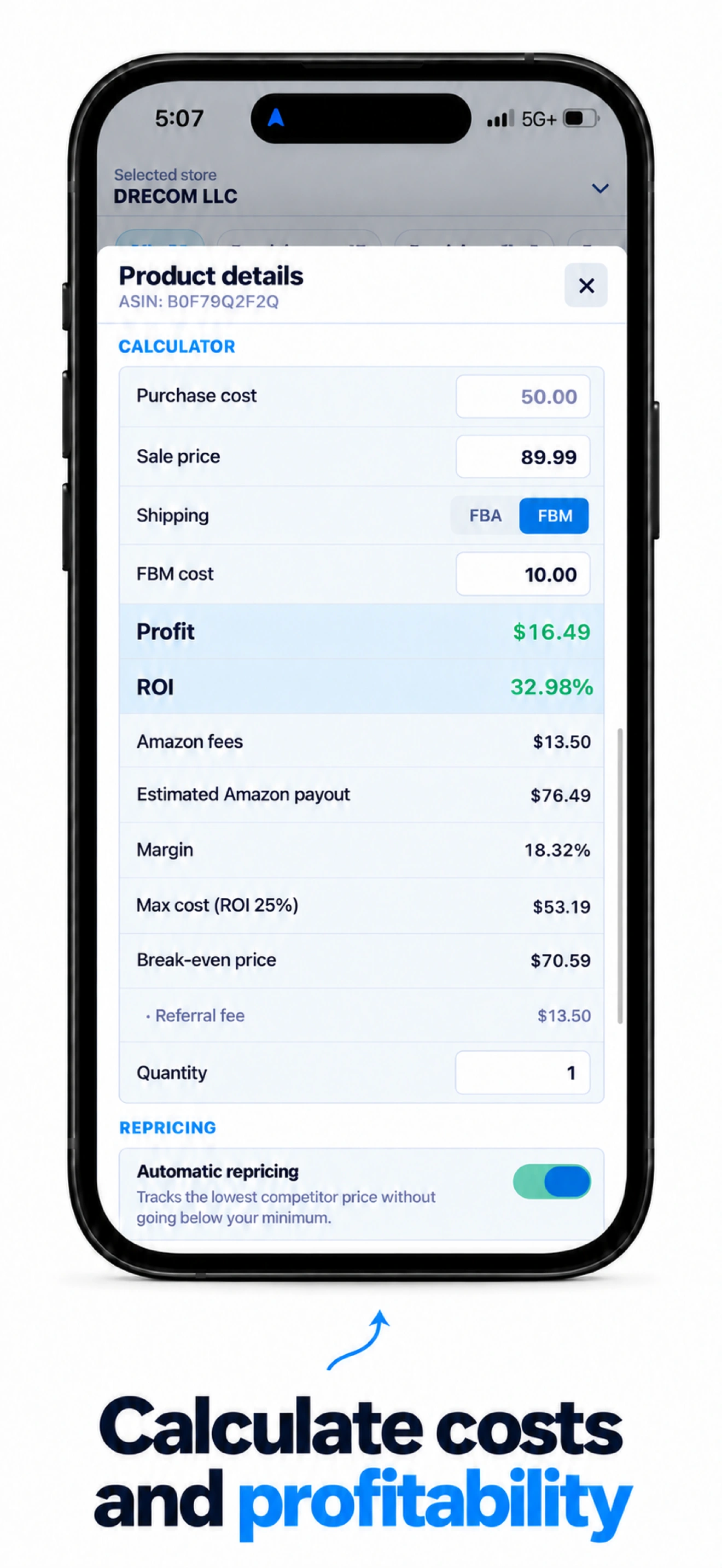
Try sale prices and purchase costs, compare FBA and FBM, and review estimated fees, margin, and profitability.
Daily sales
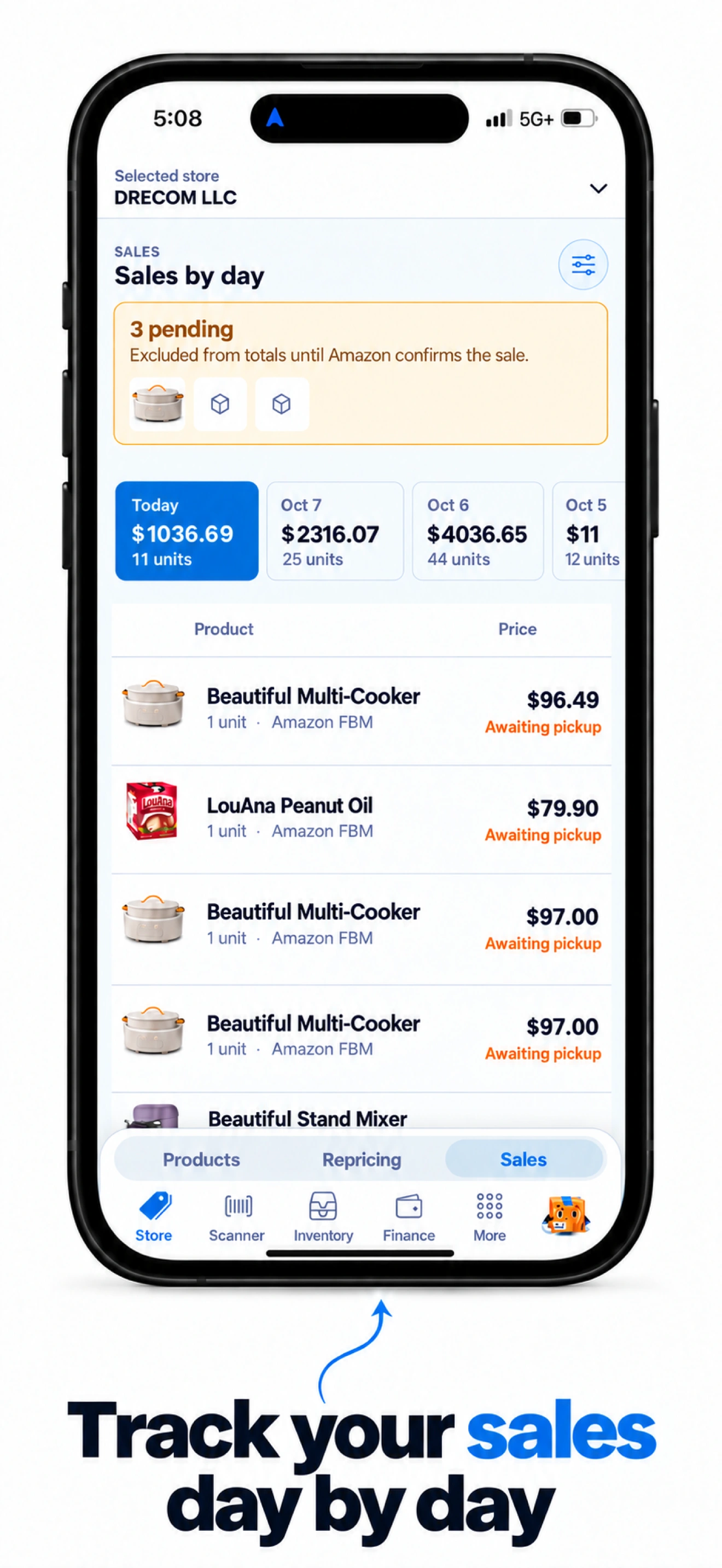
Review amounts and units by day. Pending orders appear separately from confirmed sales.
Inventory and purchases
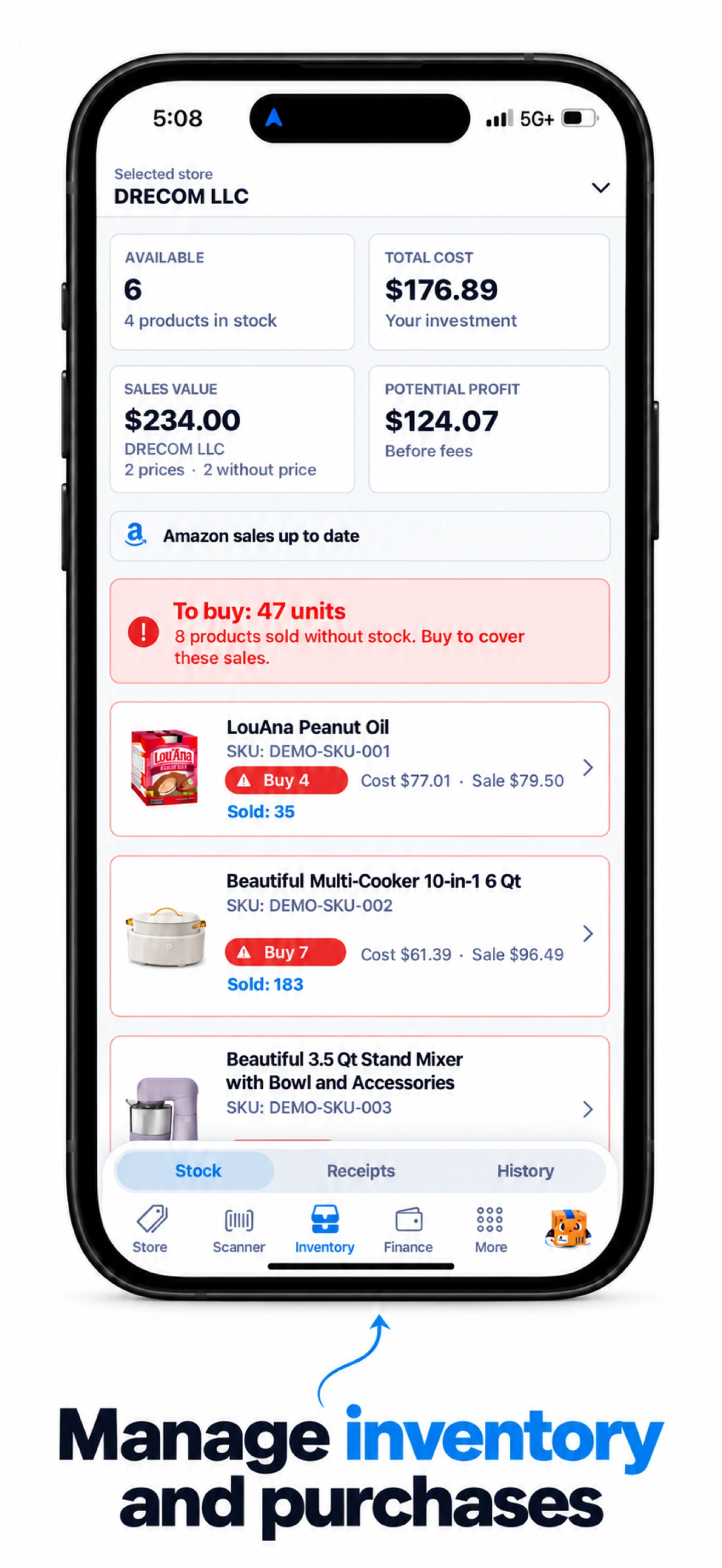
Review stock and products that need purchasing. Record receipts and track quantities and costs.
AI assistant
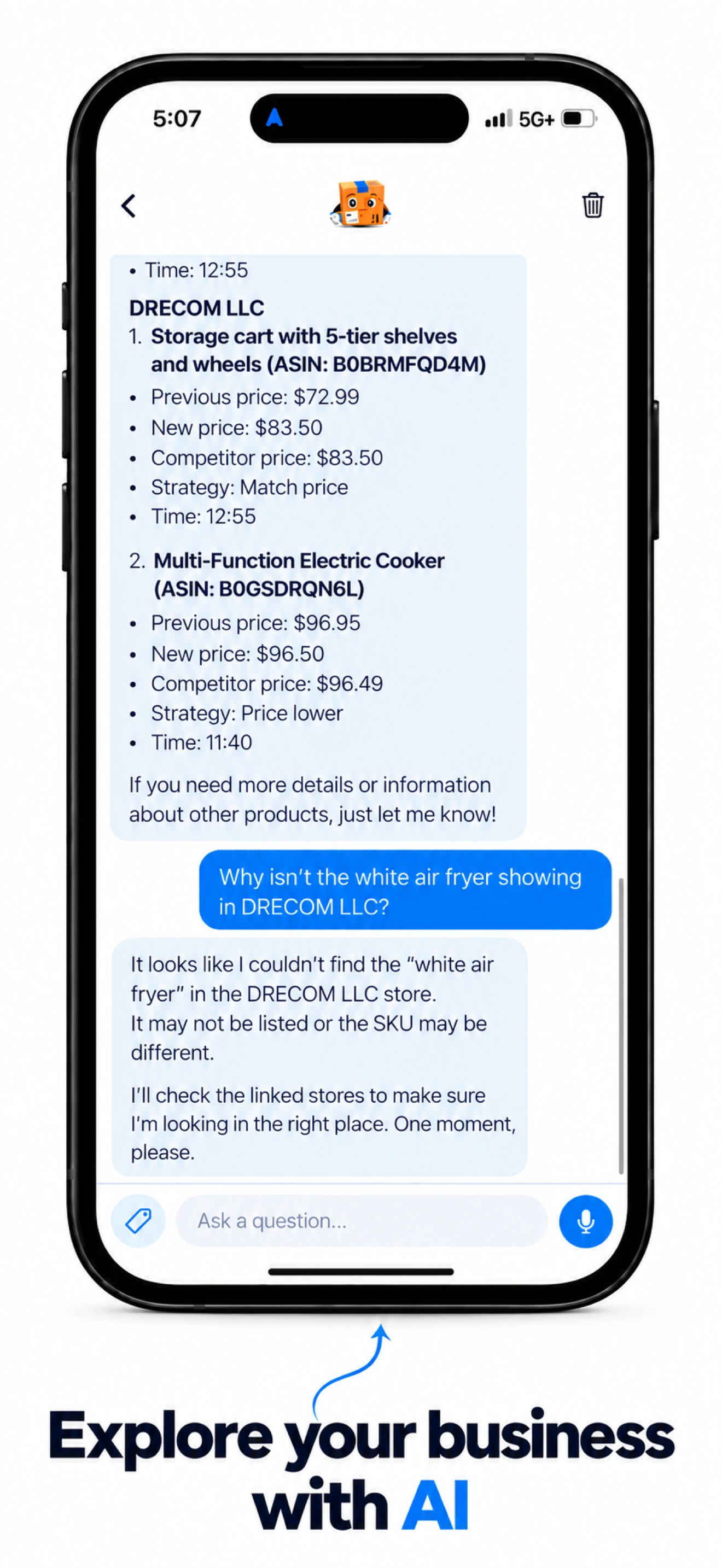
Explore your linked stores in a conversation. Verify important information before taking action.
Eligibility and fees depend on Amazon and each account. Calculations are estimates; verify information before making decisions.
Help and supportSellerAi
Help with managing your Amazon stores in SellerAi.
Connect and switch between Amazon accounts.
Look up products and check whether you can sell them.
Review strategies, minimums, and price history.
Track stock and record purchases.
Review sales by day and store.
Compare costs, fees, and estimated profitability.
Ask about your linked stores.
Resolve access issues and keep the app updated.
In More, open the Amazon integration and choose the option to add another account. Complete authorization with Amazon and return to SellerAi. Use the store selector to switch between linked accounts.
Eligibility is checked for each linked account. A product may be allowed in one store and restricted in another. Check the correct account; Amazon can change restrictions. If the camera cannot read a barcode, try better lighting or enter the code manually.
Open the product details, enable automatic repricing, and select your strategy and minimum price. Review the repricing history to see changes. Always check your minimum price and costs before enabling automation.
Add a receipt in Inventory and review items, quantities, and prices before confirming it. A confirmed stock entry should reflect the purchase. Stock adjustment represents the current stock, not an amount to add or subtract, and can be zero or negative.
Pending orders may still be canceled. They appear separately and should not be included in confirmed sales totals or deducted from stock as confirmed sales. Use the store selector to view one account or all stores.
The calculator simulates scenarios; it should not change your published price or purchase cost. Review the sale price, purchase cost, and FBA or FBM mode. Costs and fees are estimates and may differ from final Amazon charges.
The assistant can help interpret information, but it can make mistakes. Verify important data in the app and Seller Central before making decisions or changing settings.
Check your connection, close and reopen the app, and check for updates in the App Store. Reconnect an Amazon account if its authorization has expired. If the issue continues, send support your app version and steps to reproduce it.
SellerAi
Never share passwords, verification codes, or Amazon credentials.